
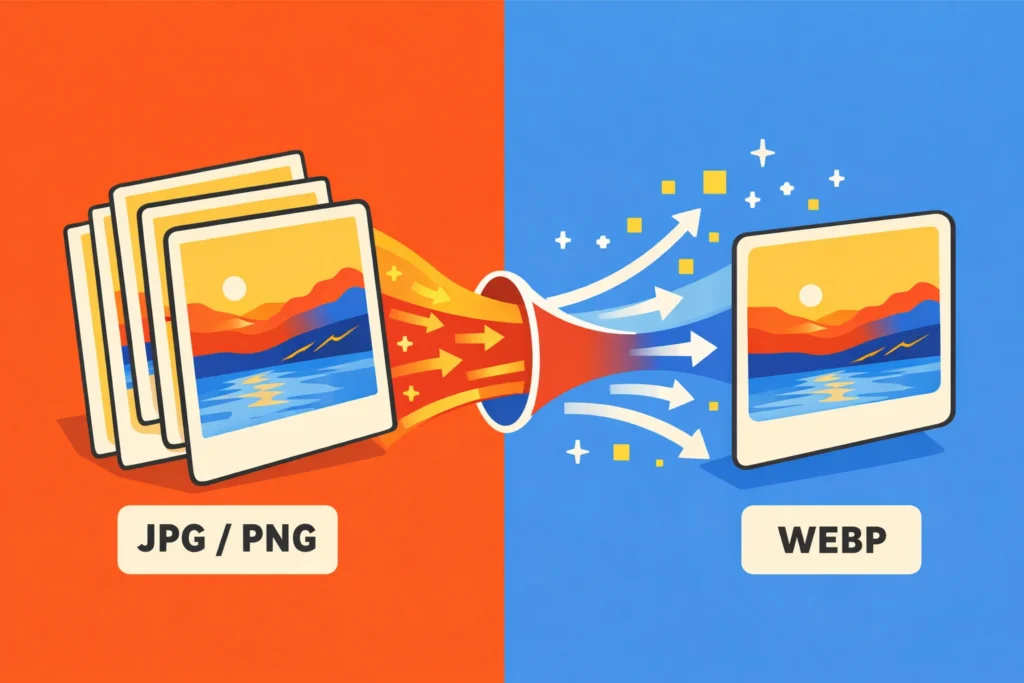
If your website feels slow, your images are potentially a major reason.
While teams spend time optimising JavaScript, tuning APIs, and refining infrastructure, one of the biggest performance bottlenecks often goes untouched: image formats. JPGs and PNGs are still widely used, but they were designed for a very different web.
Today, there is a better default. WebP.
The invisible performance problem
Images are typically the largest assets on a page. Hero banners, blog images and thumbnails all add up quickly.
A single unoptimised image can outweigh your entire JavaScript bundle.
And unlike code, images scale linearly:
- More content leads to more images and slower pages
- Slower pages lead to a worse user experience
- Poorer user experience leads to lower engagement and search performance
If you are not actively managing image formats, you are likely carrying unnecessary weight.
What is WebP
WebP is an image format developed by Google, designed specifically for the modern web.
In simple terms:
- It produces smaller files than JPG and PNG
- Maintains high visual quality
- Supports transparency, like PNG
It effectively replaces:
- JPG for photography
- PNG for graphics and transparency
Without the trade-offs those formats bring.
Why WebP is better
Smaller file sizes
WebP images are typically 25 to 35 percent smaller than their JPG or PNG equivalents.
That reduction directly translates into:
- Faster page loads
- Reduced bandwidth usage
- Lower hosting and CDN costs
Better performance
Modern performance metrics like Largest Contentful Paint, or LCP, are heavily influenced by images.
Smaller images mean:
- Faster rendering
- Improved Core Web Vitals
- Better SEO performance
Every kilobyte you remove is one less thing the browser needs to download, parse and render.
Maintains visual quality
At comparable quality settings, WebP is visually indistinguishable from JPG for most use cases.
You are not trading quality for performance. You are getting both.
Supports transparency
WebP also replaces PNG in most scenarios:
- Transparent backgrounds
- UI assets
- Overlays
With significantly smaller file sizes.
Real-world impact
Switching to WebP is one of the simplest ways to improve your site’s performance.
The benefits compound quickly:
- Faster load times lead to better user experience
- Better user experience leads to higher engagement
- Higher engagement leads to improved conversion rates
- Improved performance leads to stronger SEO
It is one of the few changes that delivers immediate, measurable gains.
When not to use WebP
WebP should be your default, but not your only tool.
There are still cases where other formats are better:
- SVG for icons, logos and line graphics
- AVIF for cutting-edge optimisation, with smaller files but less mature tooling
- High-end photography workflows where specific formats are required
The key is to be intentional, not absolute.
How to use WebP
Exporting images
Most modern tools support WebP:
- Figma
- Photoshop
- Illustrator
- CLI tools like
cwebp
Aim for a balance between compression and quality, typically between 70 and 85 percent.
Using WebP in HTML
To ensure compatibility across browsers, use the <picture> element:
<picture>
  <source srcset="image.webp" type="image/webp">
  <img src="image.jpg" alt="Example image">
</picture>
This provides a fallback for older browsers while prioritising WebP.
Using a CDN or CMS
Many platforms now support automatic image optimisation:
- Cloudflare
- ImageKit
- Contentful or other headless CMS platforms
These can:
- Convert images to WebP automatically
- Serve the right format per browser
- Optimise size on the fly
A practical migration approach
You do not need to convert everything at once.
Start with:
- Hero images
- Blog content
- High-traffic pages
These deliver the most impact with the least effort.
From there, you can progressively adopt WebP across your entire site.
WebP vs AVIF
You will often hear about AVIF as the next generation format.
It is true that AVIF can produce smaller files than WebP.
However:
- Encoding is slower
- Tooling is less mature
- Browser support, while improving, is not universal
For most teams today:
WebP offers the best balance of performance, compatibility and ease of use.
Make WebP your default
Web performance is not just about complex optimisation. It is about removing unnecessary weight.
WebP does exactly that.
It is widely supported, easy to implement and delivers immediate benefits.
At this point, using JPG or PNG by default is not just outdated. It is inefficient.
WebP is no longer an optimisation tactic. It is the baseline.
Resources
A few useful places to explore if you are ready to start working with WebP:
Official documentation
Tools for creating and converting WebP
- https://squoosh.app/
- https://www.xnview.com/en/xnconvert/
- https://developers.google.com/speed/webp/docs/using
Experiencing slow page loads?
We help teams identify what’s holding your websites back and fix it at the source.
Get in touch