
A year ago, my use of AI in software development was basic. I used ChatGPT and Gemini as faster replacements for Stack Overflow.
Stuck on syntax? Confused by an error? Needed a quick library example? I would ask AI.
It was useful, but it sat outside my real development workflow. It answered questions. It did not help me think through delivery.
When I started using AI to write code
Around seven months ago, I started using Cursor more actively for frontend and backend work.
At first, I treated it like a developer I could give a high-level task. I described the outcome, gave it some rough direction, and let it generate the implementation.
The speed was impressive. The results were not always reliable.
It would overcomplicate solutions, miss edge cases, drift from acceptance criteria, or change files that were never part of the task. Sometimes it would “improve” code it thought was wrong, even when that code existed for a valid reason.
For example, we deliberately left a real-time feature out of an MVP because it was not needed for the first release. The AI saw the gap as a bug and refactored several modules and database schemas to “fix” it.
That was not better delivery. It was extra complexity, extra review, and extra risk.
Faster code can also mean faster defects
One trap with AI-assisted coding is mistaking output speed for delivery speed.
If AI helps produce ten times more code, that does not automatically mean the team is delivering ten times more value. It can also mean there are ten times more changes to understand, review, test, and maintain.
The risk is not that AI always writes bad code. The risk is that it can produce plausible code faster than a team can properly assess it. Every extra file changed, edge case skipped, or assumption hidden in the implementation increases the review burden.
Without strong boundaries, the productivity gain can turn into a proportional increase in defects, rework, and debugging time.
That changed how I think about speed. The goal is not to maximise how much code AI can generate. The goal is to maximise how much correct, reviewed, maintainable code the team can safely accept.
The problem was not just hallucination
The issue was not simply hallucination. I was asking AI to make engineering decisions without enough engineering context.
It did not know our architecture, business requirements, past decisions, coding standards, test expectations, or deployment process. It did not know which trade-offs were intentional.
The generated code could look reasonable on its own, but still not fit the product, team, or system.
The workflow was fast and confident, but easy to lose control of.
Giving AI the same context as a team member
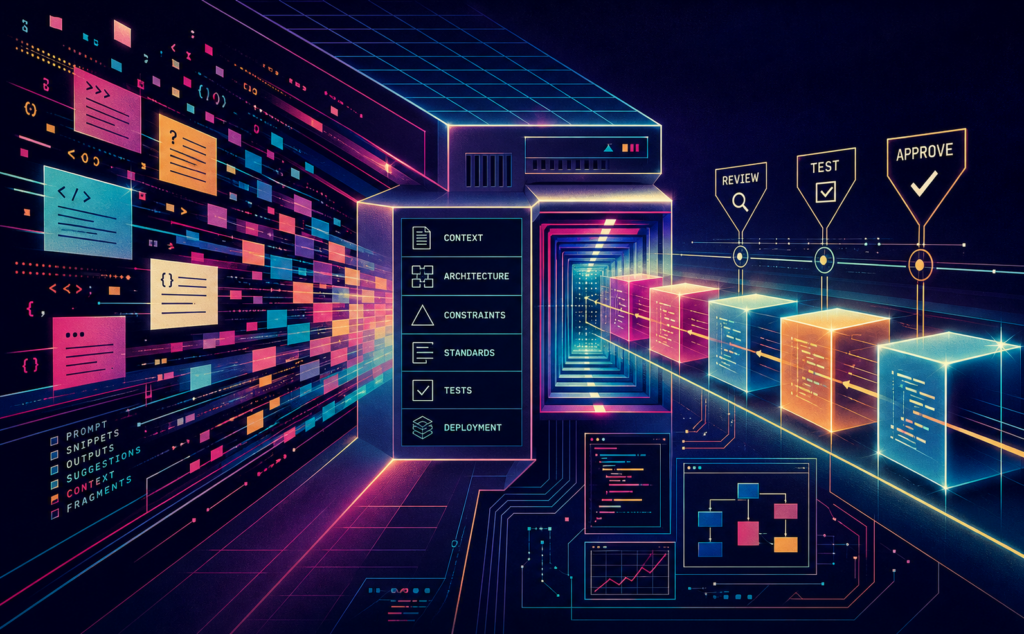
The biggest improvement came when I started giving AI the same project materials I would give a new engineer joining the team.
Instead of relying on one prompt, I added structured project knowledge:
architecture.mdbusiness-decisions.mdcoding-standards.mdsystem-designs.mdtesting.mddeployment-guidelines.md
These became the shared reference point. They explained the business rules, system design, coding patterns, boundaries, and validation expectations.
AI still made assumptions, but fewer of them. More importantly, those assumptions became easier to spot.
Giving AI context
Context also changed how I use AI before writing code.
When I am exploring a feature, such as an authentication flow, booking and inventory design, or webhook retries, I use AI as a sounding board. I provide the constraints: the existing stack, expected scale, known edge cases, and delivery needs.
Then I ask it for two or three approaches with trade-offs. I do not ask for “the” solution.
This helps surface issues earlier. For example: what happens to user permissions when SSO webhooks arrive out of order? Should authentication use sessions or tokens when mobile and web clients have different needs?
The AI does not make those calls. It broadens the option space so I can make a better one.
Brainstorming before building
Context also changed how I use AI before writing code.
When I am exploring a feature, such as authentication, database query optimisation, or webhook retries, I use AI as a sounding board. I provide the constraints: the existing stack, expected scale, known edge cases, and delivery needs.
Then I ask for two or three approaches with trade-offs. I do not ask for “the” solution.
The AI does not make the decision. It broadens the option space so I can make a better one.
Smaller tasks, better reviews
I also changed how I ask AI to implement work.
I no longer ask it to build a large feature in one go. I ask it to split the work into smaller, reviewable tasks.
Each task has a clear scope. The AI makes a focused change. I review it before moving forward.
Did it follow the requirements? Did it meet the acceptance criteria? Did it avoid unnecessary refactoring? Did it stay within the intended files?
This shifted the workflow from “generate everything” to “plan, implement, review, iterate”.
Reviewing each stage can feel slower at first. In practice, it removes much of the rework that happens later.
The lesson for me
AI works best as an engineering assistant with context, constraints, and a process.
The human still owns the architecture, judgment, and review. AI helps with exploration, execution, boilerplate, and momentum.
The goal is not to let AI do everything at once. The goal is to make it follow the same engineering process we expect from the team: understand the context, explore options, work in small steps, respect the system, and make every change reviewable.
At SRC, we’ve learned these lessons by iterating on our own AI delivery methodology. If you’re ready to turn AI experiments into real velocity, contact us.